


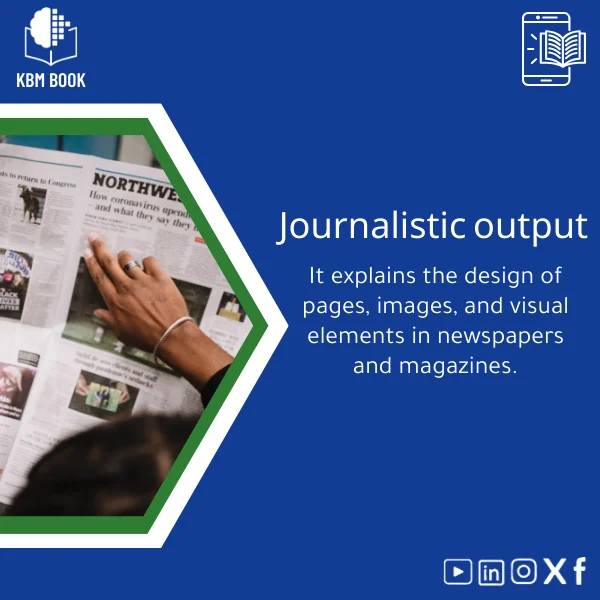
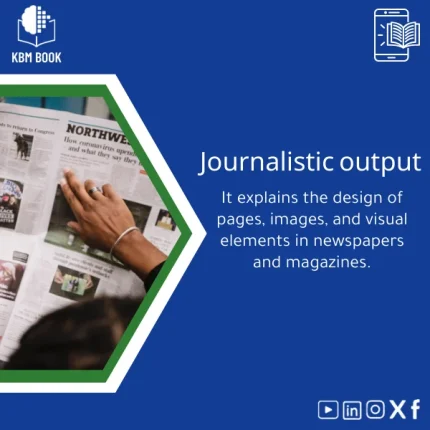
Editorial Design Guide for Newspaper Layouts
Original price was: 179.00 $.139.00 $Current price is: 139.00 $.
A practical, hierarchical knowledge base (KBM) that turns editorial design theory into searchable, ready-to-use templates, checklists, and visual rules for fast, high-quality newspaper and print-page layout decisions.
Key benefits & value of this editorial design KBM
This editorial design KBM translates the craft of newspaper layout into a compact, reliable reference that saves time while improving consistency and print quality. Each technical feature maps to a practical benefit:
- Hierarchical modules: Learn progressively—from page grids to headline hierarchies—so you can apply the right rule at the right stage of production.
- Ready-to-use templates: Apply column grids, modular ad spaces, and image gutters directly into Adobe/InDesign or equivalent tools to reduce layout time by up to 40% in typical workflows.
- Searchable visual rules: Fast lookup for type sizes, leading, image crops, and bleed settings reduces proofing cycles and print errors.
- Case studies & checklists: Real newspaper layout examples and preflight checklists reduce rework and help junior designers follow editorial standards consistently.
Use cases & real-life scenarios
Student project or portfolio
Use the KBM to learn editorial design fundamentals, replicate professional spreads, and produce a portfolio-ready newspaper mockup with annotated design decisions.
Newsroom production
Layout editors can rely on the KBM during tight production cycles: predefined page templates + image placement rules speed up pagination and maintain brand consistency across issues.
Academic research & teaching
Researchers and instructors receive structured material to teach layout theory, compare historical grid systems, or run lab assignments with consistent evaluation rubrics.
Who is this product for?
This editorial design KBM is built for:
- Media and communication students learning editorial design and print layout fundamentals.
- Researchers studying typographic systems, layout history, or production workflows.
- Designers and newsroom professionals who need reliable, production-ready rules and templates.
- Instructors seeking a structured curriculum and downloadable lab materials for print design courses.
How to choose the right KBM format for you
Our KBM is available in layered delivery options so you can match format to need and technical setup:
- Compact PDF KBM: Ideal for quick reading and printing — best for students and instructors.
- Full KBM package (PDF + CSV index + templates): Recommended for newsroom teams and designers who want editable templates and an indexed search.
- Interactive export: JSON/CSV for integration with your asset management or design system — best for technical teams and researchers.
Choose the full package if you plan to adapt templates or integrate layout rules into a production pipeline; the compact PDF is cost-effective for learning and reference.
Quick comparison with typical alternatives
How this KBM differs from traditional editorial design books or online tutorials:
- Traditional books: Often theoretical and linear — our KBM is modular and searchable for direct application.
- Video courses: Great for demonstrations, but hard to reference quickly during production. The KBM provides concise rules and templates for immediate use.
- Scattered online articles: Can be redundant and inconsistent. The KBM consolidates vetted, production-oriented knowledge in a single, hierarchical database.
Best practices & tips to get maximum value
- Start with the “Grid & Page Anatomy” module before customizing typography—structure first, style second.
- Use the included preflight checklist for every issue to catch common print errors (bleed, color profiles, image DPI).
- Adopt the KBM templates as baseline masters in your layout software; adapt margins and column widths to your paper size.
- Integrate the CSV index with your asset manager to tag images by crop and intended placement for faster pagination.
Common mistakes when buying or using editorial design resources and how to avoid them
- Buying a single-format product: If you expect to reuse templates, choose the package with editable templates and CSV index.
- Skipping production checks: Even good layouts fail at print without preflight—use the KBM’s checklists.
- Assuming one-size-fits-all grids: Adapt column widths and gutters to your paper and content density; use the KBM guidance rather than copying blindly.
Product specifications
- Product type: Knowledge Base Module (KBM) — Editorial Design for Newspaper Layouts
- Core content: Grid systems, typography rules, imagery & cropping, color and print specs, case studies, preflight checklists
- Delivery formats: PDF (print-optimized), Editable templates (InDesign-ready files), CSV index, JSON export
- Language: English (structured with modular labels for localization)
- Compatibility: Works with Adobe InDesign, Affinity Publisher, and common CMS asset flows (CSV/JSON)
- File size: Compact PDF + template package (approx. 150–400MB depending on template format)
- Usage notes: Single purchase grants non-exclusive license for professional and educational use; suitable for classrooms and production teams
FAQ
Can I edit the templates in my layout software?
Yes. The full package includes editable templates compatible with Adobe InDesign and import-friendly formats for other layout tools. Template layers and style sheets are provided to speed adaptation.
Is this editorial design book suitable for beginners?
Yes. The KBM is organized hierarchically—foundational modules guide beginners through grids and type basics, while advanced modules cover production workflows and case studies for experienced users.
How does this KBM save time compared with books or tutorials?
Because the KBM is searchable, modular, and includes ready-to-use templates and checklists, you spend less time sifting through theory and more time applying rules directly to page layouts and production tasks.
What formats do I receive immediately after purchase?
Downloadable files include a PDF KBM, CSV index for quick lookups, and editable template files. JSON export is available for integration on request.
Ready to master editorial design for newspapers?
Get the Editorial Design Guide for Newspaper Layouts — a professional KBM that transforms editorial design knowledge into usable, production-ready tools. Whether you are a student building skills, a researcher documenting systems, or a newsroom optimizing production, this KBM accelerates results and reduces errors.
Immediate download. Includes templates, searchable index, and production checklists for fast integration into your workflow.
Related products
Biochemistry Book: Understanding Chemical Processes in Living Systems

Comprehensive Microbiology Book on Bacteria, Viruses, and Fungi
General and Special Relativity Book on Einstein’s Theory
A structured, searchable Knowledge Base Module (KBM) that converts Einstein's General and Special Relativity into a clear, hierarchical reference: formulas, derivations, worked examples, practical applications (GPS, astrophysics), and a compact research bibliography — ready to download and integrate into study, teaching, or research workflows.

General Biology Book: A Guide to Cells, Genetics & Taxonomy

Inorganic Chemistry Guide: Bonding and Crystal Solids
A structured, searchable Knowledge Base Module (KBM) that converts inorganic chemistry fundamentals and advanced topics—bonding models, lattice structures, defects, and solid-state properties—into a practical digital reference for students, researchers, and professionals who need fast, reliable answers without wading through textbooks.
Modern Physics Book: Quantum, Relativity, and Tech Applications Guide
A structured, searchable Knowledge Base Module (KBM) that turns modern physics — quantum mechanics, special & general relativity, and contemporary technological applications — into a hierarchical, practical reference for students, researchers, and professionals who need quick, reliable access to advanced concepts and formulas.

Reviews
Clear filtersThere are no reviews yet.