


Cloud Computing Architecture Guide: IaaS, PaaS, SaaS Overview
Original price was: 179.00 $.139.00 $Current price is: 139.00 $.
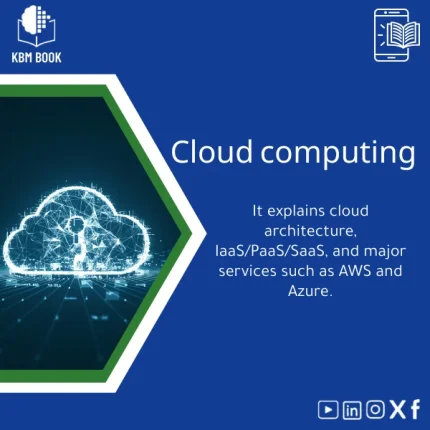
A structured, searchable knowledge-base module (KBM) that explains cloud computing fundamentals, IaaS/PaaS/SaaS models, and the major AWS & Azure services — organised hierarchically for quick lookup, hands-on tasks, and research reference.
Key benefits & value for students, researchers, and professionals
This KBM translates cloud computing theory into structured, actionable knowledge. Each module is designed as a compact reference that answers specific questions quickly — for example: “Which services to choose for a web application?” or “What are the security controls required for IaaS?”
Benefits translated from features
- Hierarchical structure: Navigate from fundamentals (cloud computing basics) to advanced patterns without irrelevant content or repetition.
- Service mappings: Direct comparisons and decision matrices for AWS and Azure let you pick IaaS, PaaS, or SaaS options by requirement (cost, scalability, compliance).
- Search-optimized KB files: Fast lookup of commands, API names, or architectural patterns — ideal for lab sessions and research citations.
- Practical outputs: Diagrams, checklists, and example infra-as-code snippets make the KBM usable immediately in projects and teaching.
Use cases & real-life scenarios
Student / Course work
Use the cloud computing book PDF to prepare concise lecture notes, extract diagrams for slide decks, and follow lab exercises to practice IaaS provisioning on AWS or Azure.
Researcher
Quickly locate architecture patterns and reference citations when writing papers about hybrid-cloud strategies or cost-performance trade-offs. Export tables for inclusion in appendices.
IT Professional / Architect
When designing a migration plan, use the KBM checklists to map existing services to target IaaS/PaaS offerings, estimate cost drivers, and apply proven security baselines.
Trainer & Course Creator
Reuse module outlines to build step-by-step courses: module-by-module progression ensures students see concepts in a logical order from fundamentals to advanced design.
Who is this product for?
- Undergraduate and graduate students learning cloud computing fundamentals and architecture.
- Researchers needing compact, well-organised references for IaaS, PaaS, and SaaS models.
- Cloud architects and developers selecting services on AWS or Azure for real projects.
- Instructors and trainers creating syllabi, labs, and assessments.
If you need a reliable, non-redundant, and exportable resource that speeds decision-making and learning, this KBM is built for you.
How to choose the right KBM edition
We offer logical choices rather than arbitrary sizes. Choose based on depth and intended use:
- Starter (Overview): Best if you want cloud computing basics, key definitions, and quick service maps — includes cloud computing book PDF and summary diagrams.
- Professional (Applied): Includes deployment checklists, cost comparison tables, and hands-on lab exercises for IaaS/PaaS migrations.
- Researcher (Comprehensive): Complete citations, extended architecture patterns, and exportable datasets suitable for academic work.
Consider format compatibility (PDF for reading, CSV/JSON for database ingestion) and whether you need repeat updates for cloud provider changes.
Quick comparison with typical alternatives
Common alternatives include textbooks, blog posts, scattered documentation, and video courses. This KBM combines the strengths of each while avoiding their weaknesses:
- Vs. textbooks: More concise, searchable, and updated; textbooks can be long and less actionable.
- Vs. blog posts & docs: Those are fragmented; the KBM organizes content in one consistent hierarchy for fast lookup.
- Vs. video courses: Videos show steps but are hard to skim; KBM lets you extract checklists and diagrams quickly for reuse.
Best practices & tips to get maximum value
- Start with the overview module, then import the lab exercises into a sandbox tenant (AWS Free Tier / Azure credits) to apply knowledge.
- Use the service comparison matrix when drafting architecture proposals to justify choices to stakeholders.
- Integrate CSV exports into your LMS or note app to build searchable flashcards for exam prep.
- Check the changelog and update pack — cloud providers evolve quickly; plan for periodic KBM updates in your study or project schedule.
Common mistakes when buying or using cloud learning resources — and how to avoid them
- Buying a single-format resource: Avoid PDFs only — choose KBMs with downloadable CSV/JSON so you can integrate content into tools.
- Relying on vendor marketing: Look for objective service comparisons and decision matrices included in this KBM.
- Skipping lab practice: Theoretical knowledge without hands-on practice leads to slow adoption — use included labs to reinforce concepts.
Product specifications
- Product type: Knowledge Base Module (KBM) — Cloud Computing Architecture
- Contents: Overview, IaaS/PaaS/SaaS modules, service mapping (AWS & Azure), diagrams, lab exercises, checklists
- Formats: PDF (readable manual), CSV/JSON (database-ready outlines), PNG/SVG diagrams
- Language: English
- License: Personal & educational use; commercial/training licenses available on request
- Compatibility: Import into LMS, note apps, and internal KB systems
- Delivery: Instant download after purchase
- Updates: Periodic updates available for purchase/subscribe
FAQ
Is this KBM suitable as a “cloud computing book PDF” for exam preparation?
Yes. The PDF is structured to serve as a concise study guide with key definitions, diagrams, and summary tables. For deeper practice, use the lab exercises and flashcard-ready extracts included in other formats.
Does the KBM include hands-on examples for AWS and Azure?
Yes. It contains practical examples, service mappings, and checklists for typical tasks such as provisioning VMs (IaaS), deploying managed databases (PaaS), and selecting SaaS integrations. Code snippets and step-by-step labs are provided for safe sandbox testing.
How often is the content updated to reflect changes in cloud providers?
The KBM is maintained with periodic update packs. Cloud providers change frequently; we publish focused update releases for major service shifts and provide a changelog to purchasers.
What if I only need a short summary, not the full module?
Choose the Starter edition which includes the overview PDF and summary matrices. You can upgrade later to Professional or Researcher editions and keep your previous files.
Ready to learn cloud computing architecture the practical way?
Get a structured, searchable KBM that turns cloud architecture into repeatable decisions and classroom-ready content. Instant download — start using it in lectures, labs, or proposals today.
Still unsure? Check the sample module before purchase or contact support for a walkthrough of the structure and lab contents.
Related products
Analytical Chemistry Book: Qualitative and Quantitative Methods Guide
Astrophysics Book: Understanding Stars, Galaxies, and Dark Energy
A searchable, hierarchical Knowledge Base Module (KBM) that converts astrophysics and cosmology into a practical, exam-ready and research-ready reference. Designed for students, researchers, and professionals who need immediate access to reliable explanations, equations, and data models for stars, galaxies, and dark energy.
Biochemistry Book: Understanding Chemical Processes in Living Systems
Comprehensive Genetics Book: DNA, Mendelian Genetics & Engineering
A structured, searchable knowledge base module (KBM) that turns genetics theory and practice into an immediately usable digital reference — from DNA structure to Mendelian genetics and contemporary genetic engineering techniques — optimized for students, researchers, and professionals who need reliable answers fast.

Reviews
Clear filtersThere are no reviews yet.