


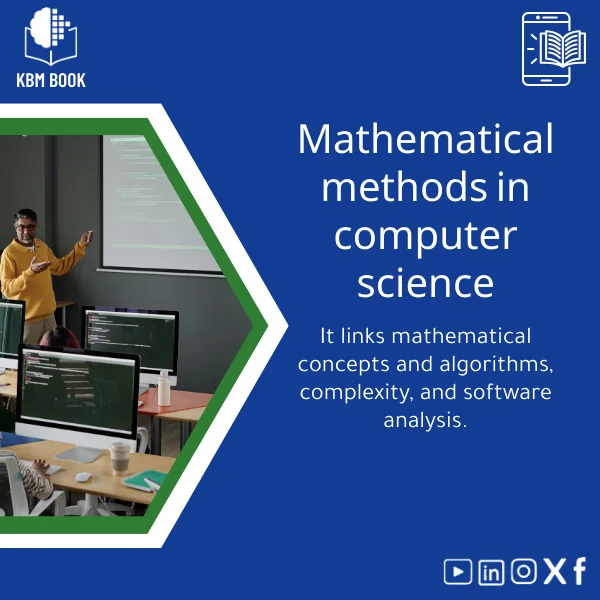
Computer Fundamentals Guide: Introduction to Hardware and Software
Original price was: 139.00 $.99.00 $Current price is: 99.00 $.
A structured, searchable Knowledge Base Module (KBM) that turns Computer Fundamentals into a practical digital reference — from hardware components and systems to data structures and software basics — designed for fast lookup, study plans, and classroom or workplace integration.
Key benefits & value for the buyer
This Computer Fundamentals KBM converts scattered introductory materials into a single, consistent, and usable knowledge base. Instead of reading multiple articles or watching fragmented videos, you get:
- Speed: Find definitions, diagrams, and procedures without wading through long chapters.
- Clarity: Concepts explained with progressive depth — short definitions followed by practical examples and commands where applicable.
- Reusability: Copyable snippets, checklists, and lab steps that save instructors and trainers hours of preparation.
- Reliability: Structured taxonomy reduces duplication and ensures consistent terminology across topics like CPU, memory, storage, and OS concepts.
Use cases & real-life scenarios
Student study plan
Use the KBM to create a weekly study checklist: Week 1 — Binary, data representation; Week 2 — CPU architecture and memory hierarchy; Week 3 — Operating systems fundamentals and file systems. Each entry includes quick quizzes and further reading links.
Researcher literature mapping
Map a literature review by tagging entries (e.g., “memory consistency”, “I/O bottlenecks”) and exporting annotated lists for inclusion in literature matrices.
Professional onboarding
Onboard new hires with a targeted “hardware & software essentials” module. Instead of a long manual, deliver short modules that new staff can search and reference on demand.
Who is this product for?
This KBM is built for learners and professionals who require reliable, well-organized foundational knowledge:
- Undergraduate and vocational students studying computing fundamentals.
- Researchers needing a concise reference to verify terminology and basic models.
- IT generalists and technical instructors preparing labs and quick reference sheets.
- Non-technical professionals who need to understand hardware/software interactions for project management or procurement decisions.
How to choose the right version
The KBM is available in three delivery options — pick based on use:
- Student Pack (compact): Core concepts, diagrams, quick quizzes — ideal for self-study and course prep.
- Instructor Pack (expanded): Adds lab steps, suggested lesson plans, and slide-ready summaries.
- Team License (enterprise): Multi-user access, exportable CSV of entries, and priority updates for departmental integration.
Choose the Instructor Pack if you teach; choose Team License for group deployment. The compact Student Pack is sufficient for most learners and delivers the essential “computer fundamentals” material without excess.
Quick comparison with typical alternatives
Unlike traditional books or scattered online articles, this KBM is:
- Structured (vs. book): Topic nodes and cross-references make lookups faster than flipping pages.
- Searchable (vs. PDFs): Tagged entries and index enable targeted queries (e.g., “what causes page faults?”).
- Modular (vs. courses): Reuse individual modules for handouts or slides without enrolling in a full course.
Best practices & tips to get maximum value
- Start with the “Fundamental Concepts” node and follow the hierarchical links to related topics to build context.
- Export or print short checklists for lab sessions — they’re designed to be actionable.
- Use the KBM as a living reference: update your local notes with timestamps from the KBM entries for reproducible study logs.
- Combine with hands-on labs: the guide gives commands and expected outcomes; run them in a sandbox VM to reinforce learning.
Common mistakes when buying or using similar products and how to avoid them
- Buying content-heavy but unstructured materials: Avoid sources that are long but poorly indexed. Look for hierarchy and tags — that’s the KBM advantage.
- Expecting a one-time read: Fundamentals are best learned by revisiting targeted entries; use search and bookmarks.
- Overpaying for unnecessary extras: Pick the pack that matches your role — Student Pack often covers the essentials at the best price-to-value ratio.
Product specifications
- Title: Computer Fundamentals Guide: Introduction to Hardware and Software
- Format: Downloadable KBM files (JSON + printable PDF summary + CSV index)
- Language: English (structured terminology aligned with international standards)
- Size: ~120 modular entries, 400+ cross-references, diagrams and example commands
- License: Single-user (Student), Instructor, and Team options available
- Compatibility: Importable into common note systems and LMS tools; searchable offline
- Usage notes: Ready for classroom handouts, individual study, and onboarding packages
FAQ
What formats are included and how do I import the KBM into my LMS?
Is this suitable for complete beginners?
How often is the content updated and can I get updates?
What if I only need hardware basics?
Is there a refund or satisfaction policy?
Ready to get structured knowledge on Computer Fundamentals?
Download a searchable, teacher-friendly, practice-focused KBM that saves time and improves learning outcomes. Choose the Student, Instructor, or Team option based on your needs and deploy immediately.
Related products
Cell Biology Guide: Structure, Division, and Transport Insights

Comprehensive Evolutionary Biology Book on Natural Selection
Comprehensive Nuclear Physics Book on Structure and Radioactivity

Cosmology Book: Guide to Big Bang and Galaxy Evolution
Electromagnetism Book: A Comprehensive Guide to Fields and Circuits
Modern Physics Book: Quantum, Relativity, and Tech Applications Guide
A structured, searchable Knowledge Base Module (KBM) that turns modern physics — quantum mechanics, special & general relativity, and contemporary technological applications — into a hierarchical, practical reference for students, researchers, and professionals who need quick, reliable access to advanced concepts and formulas.


Reviews
Clear filtersThere are no reviews yet.