


Digital Content Management Guide for Organizing Multimedia
Original price was: 179.00 $.139.00 $Current price is: 139.00 $.
A practical, hierarchical knowledge base module (KBM) that turns Digital Content Management theory into a searchable, ready-to-use system for students, researchers, and professionals who must organize, publish, and reuse multimedia reliably.
Key benefits & value for the buyer
This Digital Content Management KBM is designed to replace fragmented notes, inconsistent folders, and one-off spreadsheets with a repeatable, hierarchical system. It bundles knowledge and tools so you can:
- Save time: Pre-built taxonomies and metadata schemas reduce setup from weeks to hours.
- Increase accuracy: Standardized tagging and naming conventions cut retrieval errors and duplicate assets.
- Scale easily: Hierarchical modules let you add new media types or projects without restructuring your entire library.
- Integrate faster: Exports (CSV/JSON) and import-ready templates ease integration with LMS, DAM, or CMS systems.
- Learn by doing: Practical examples and checklists convert theory into operational routines for students and professionals.
Whether you need the digital content management book to study best practices or a digital content management PDF to drop into a project, this KBM is structured for immediate, measurable outcomes.
Use cases & real-life scenarios
1. Academic research teams
Graduate students and supervisors centralize audio interviews, video fieldwork, and scanned documents using the KBM’s metadata templates. Result: faster literature reviews and reproducible asset provenance for publications.
2. Media production and course creators
Producers apply the naming and versioning rules to footage and b-roll, attach mid-production approvals, and export a clean asset manifest for editors — reducing editing bottlenecks and lost files.
3. Corporate knowledge repositories
Knowledge managers import the taxonomy into a DAM or CMS to create searchable employee training libraries and reusable marketing assets, ensuring compliance and consistent reuse.
Who is this product for?
Targeted at students, researchers, and professionals who need structured knowledge databases across fields for quick access to reliable information. Specific profiles include:
- Media students building portfolios and reproducible research datasets.
- Academic researchers managing multimedia evidence and datasets.
- Content managers, editors, and marketers who oversee digital assets.
- Trainers and educators who want a repeatable curriculum for teaching multimedia archiving.
If you regularly work with image, audio, video, or mixed media and value consistent retrieval and reuse, this KBM matches your needs.
How to choose the right format & license
We offer the KBM as a layered package so you can pick what fits your workflow:
- PDF Guide: Readable and printable—best for individual study and classroom handouts.
- CSV/JSON templates: Import-ready files for DAM/CMS/LMS integration—best for IT or systems teams.
- Editable master file: Modifiable structure for teams that want to adapt taxonomies.
- License options: Personal (single user), Academic (classroom), and Commercial (team use). Choose based on expected users and redistribution needs.
If you need multi-user deployment, select the Commercial license; for classroom adoption, the Academic license includes instructor notes and exercises.
Quick comparison with typical alternatives
Common alternatives are books, scattered articles, or proprietary DAM onboarding materials. Compared to those:
- Unlike a book, this KBM is modular and importable into systems (not just narrative).
- Compared with blog posts or articles, it avoids gaps and redundancy by providing a complete taxonomy and operational templates.
- Compared with vendor-specific onboarding, it stays vendor-agnostic and export-friendly, so you can move between platforms.
Best practices & tips to get maximum value
- Start with the metadata schema and apply it to a pilot project of 50–200 assets to validate fields.
- Use the naming convention templates consistently for 4–6 weeks before iterating.
- Integrate exports into your workflow—automate CSV imports where possible to avoid manual entry.
- Train at least one “taxonomy owner” to maintain consistency across teams.
- Schedule quarterly reviews of tags and categories to keep the taxonomy aligned with evolving content types.
Common mistakes when buying or using similar products and how to avoid them
- Buying generic checklists: They lack hierarchy. Choose our KBM for an organized sequence from basics to advanced.
- Skipping pilot testing: Always run a small pilot to adapt fields before full rollout.
- Ignoring integration: If you plan to connect to a DAM/CMS, get the CSV/JSON templates included here.
- Under-licensing: Ensure your license covers team size to avoid compliance gaps.
Product specifications
- Product type: Knowledge Base Module (KBM) — Digital Content Management
- Primary format: PDF guide (print-friendly)
- Supplemental files: CSV templates, JSON schema, editable master (ZIP)
- Modules: 10 hierarchical modules (Indexing → Metadata → Workflows → Publishing)
- Languages: English (structured layout suitable for translation)
- License: Personal / Academic / Commercial (choose at checkout)
- Delivery: Instant download after purchase; includes update notes for 12 months
- Usage notes: Import templates to DAM/CMS; editable fields for custom taxonomies
Frequently asked questions
Is this a book or a downloadable system? (digital content management book / pdf)
The product is a KBM bundle: a readable PDF guide plus import-ready templates (CSV/JSON) and an editable master file. It combines the depth of a digital content management book with practical files to implement the system.
Will it integrate with my DAM, CMS, or LMS?
Yes. The package includes CSV and JSON schema files designed for import. If your platform supports CSV/JSON imports, you can map the provided fields directly. For bespoke systems, the editable master makes adaptation straightforward.
How do updates and support work?
Purchases include 12 months of update notes and minor template revisions. Commercial-license holders receive priority email support for integration questions.
What if the KBM doesn’t fit my needs?
Before purchase, review the module list above. If your workflow is highly specialized, contact our support for guidance on whether to choose the editable master or request a tailored recommendation. Refunds and replacements follow our store policy (see checkout).
Ready to organize multimedia with a professional KBM?
Move from scattered assets to a searchable, repeatable content system that students, researchers, and professionals can rely on. Includes PDF guide, templates, and editable master files to implement immediately.
Related products
Analytical Chemistry Book: Qualitative and Quantitative Methods Guide
Biological Anthropology Study Guide on Human Evolution
Cell Biology Guide: Structure, Division, and Transport Insights
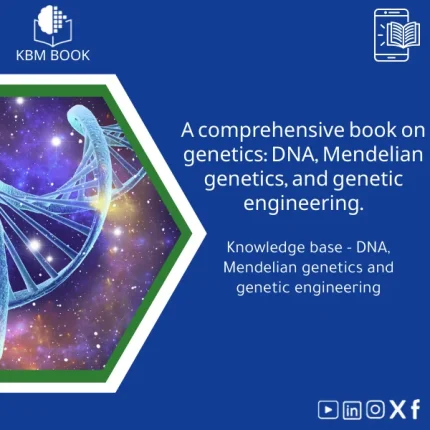
Comprehensive Genetics Book: DNA, Mendelian Genetics & Engineering
A structured, searchable knowledge base module (KBM) that turns genetics theory and practice into an immediately usable digital reference — from DNA structure to Mendelian genetics and contemporary genetic engineering techniques — optimized for students, researchers, and professionals who need reliable answers fast.
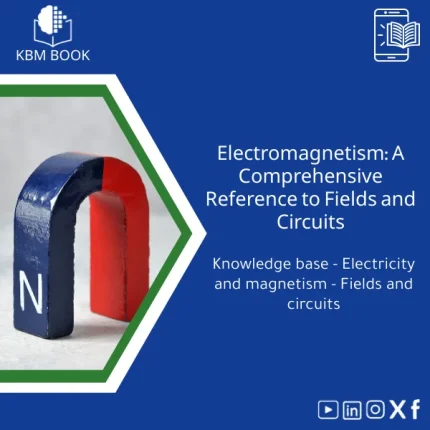
Electromagnetism Book: A Comprehensive Guide to Fields and Circuits
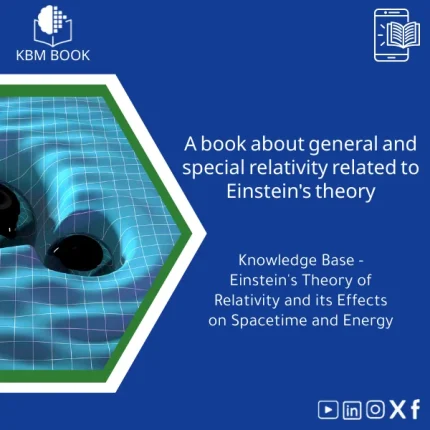
General and Special Relativity Book on Einstein’s Theory
A structured, searchable Knowledge Base Module (KBM) that converts Einstein's General and Special Relativity into a clear, hierarchical reference: formulas, derivations, worked examples, practical applications (GPS, astrophysics), and a compact research bibliography — ready to download and integrate into study, teaching, or research workflows.
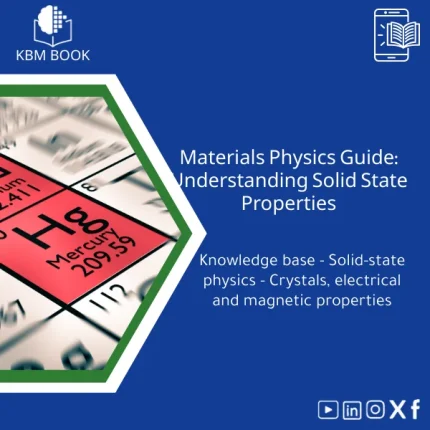
Materials Physics Guide: Understanding Solid-State Properties
Thermal Physics Guide: Understanding Heat, Energy, and Entropy
A downloadable, hierarchically structured Knowledge Base Module (KBM) that converts university-level thermodynamics into a searchable, practical digital database. Ideal for students, researchers, and professionals who need fast, reliable access to fundamentals and advanced topics in thermal physics.
Reviews
Clear filtersThere are no reviews yet.