


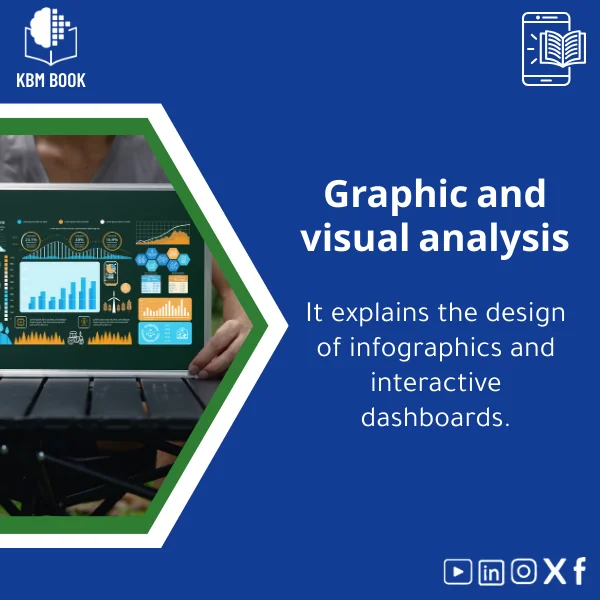
Graphical and Visual Analysis Guide for Charts and Dashboards
Original price was: 179.00 $.139.00 $Current price is: 139.00 $.
Transform raw data into clear, decision-ready visuals: a structured Knowledge Base Module for mastering graphical and visual analysis, chart design principles, and interactive dashboards for academic, research, and professional use.
Key benefits & value for the buyer
This KBM converts theory into applied artifacts. Rather than a long narrative, you receive an organized, searchable set of modules that reduce time-to-insight and improve visual decision quality.
What you get, in outcomes
- Faster learning curve: Stepwise lessons and examples let students and researchers implement visual analytics techniques in hours, not weeks.
- Consistent visuals: Templates and chart rules enforce clarity across reports and dashboards—reducing misinterpretation by stakeholders.
- Reproducible work: Code snippets, data samples, and exportable specs make methods repeatable in research and production.
- Tool-agnostic approach: Design guidelines map directly to Excel, Power BI, Tableau, and web libraries for immediate application.
Use cases & real-life scenarios
Examples of how a KBM on graphical and visual analysis is used daily:
- Academic research: Build reproducible figures for papers with consistent color, scale, and annotation templates that comply with journals’ requirements.
- Student projects: Rapidly assemble a portfolio of dashboards and charts demonstrating understanding of visual analytics principles for coursework or job applications.
- Business reporting: Design executive dashboards that highlight KPIs, with interaction patterns for drilling into root causes during meetings.
- Training programs: Use the KBM as a syllabus for a data visualization course or workshop—each module corresponds to a lesson with exercises.
Who is this product for?
Targeted to students, researchers, and professionals who need structured knowledge databases across various fields for quick access to reliable information. Specific roles include:
- Undergraduate and graduate students learning data visualization.
- Research assistants preparing figures and reproducing analyses.
- Data analysts and BI developers designing dashboards for stakeholders.
- Trainers and instructors building a data visualization course or workshop.
How to choose the right KBM for your needs
When selecting a graphical and visual analysis KBM, evaluate three practical aspects:
- Scope: Do you need fundamentals only, or advanced interaction and animation patterns? This KBM includes both—start at basics and skip ahead to advanced modules as required.
- Format compatibility: Confirm the KBM includes formats you use (Excel, Power BI templates, JSON specs). This product delivers widely compatible formats and sample files.
- License & updates: Choose a license that matches your use (personal, academic, commercial) and check the update policy. The KBM includes documented update notes and version history.
Quick comparison with typical alternatives
How this KBM differs from a textbook, a single tutorial, or a template pack:
- Vs. textbook: Structured, searchable modules and practical files vs. long narrative. Faster to apply and easier to integrate into workflows.
- Vs. single tutorial: Comprehensive coverage with taxonomy and cross-references, not a one-off lesson—good for building a curriculum or reference library.
- Vs. template pack: Includes templates plus methodological guidance and reproducible examples; templates alone lack the decision rules and citations included here.
Best practices & tips to get maximum value
- Start with the diagnostic checklist: Use the included chart-audit checklist on your first project to spot misleading encodings and scale issues.
- Reproduce examples: Run the sample files and then modify them—this is the fastest way to internalize visual analytics rules.
- Adopt naming conventions: Use the KBM’s recommended naming and folder structure to keep multiple dashboards consistent over time.
- Bridge to tools: Map design rules to your tool of choice (Power BI/Tableau/Excel) using the provided mapping sheet to avoid translation errors.
Common mistakes when buying or using similar products — and how to avoid them
- Mistake: Buying templates without methodology.
Fix: Choose a KBM that pairs templates with design rationale and reproducible code. - Mistake: Assuming one format fits all tools.
Fix: Verify included formats (workbooks, JSON, markdown) and conversion guidance before purchase. - Mistake: Ignoring accessibility and scale choices.
Fix: Use the KBM’s accessibility checklist to make visuals interpretable for diverse audiences.
Product specifications
- Type: Knowledge Base Module (KBM) — Graphical & Visual Analysis
- Formats included: Searchable JSON index, CSV data samples, Markdown guides, Power BI (.pbix) sample, Tableau workbook, Excel workbooks, and reusable image assets (SVG/PNG)
- Language: English (structured, research-oriented); guidance for Arabic-speaking users included where relevant
- Delivery: Instant digital download (zipped package) with structured folder layout
- License: Personal & academic use; commercial license option available
- Size: ~120 MB compressed (includes workbooks and assets)
- Compatibility: Modern web browser for docs, Power BI Desktop, Tableau Desktop, Excel 2016+
- Support & updates: 6 months free updates; changelog and versioned releases included
Frequently asked questions
Can I use the templates in Power BI and Tableau?
Yes. The KBM contains example .pbix and .twb/.twbx files, plus mapping notes so you can implement the same visual design across both tools.
Is this KBM suitable for beginners with no design experience?
Yes. Modules start with basic visual perception and chart selection rules, then progress to intermediate and advanced techniques—ideal for a data visualization course.
What support do I get after purchase?
Purchasers receive 6 months of update access and a support channel for format issues or clarification on module content. Commercial license buyers get extended support options.
How often is the content updated?
We publish updates to methods, templates, and sample files at least twice a year or when notable tool changes occur; update notes are included in the package.
Ready to design clearer, more effective visuals?
Download a structured, research-backed KBM that accelerates learning and standardizes chart & dashboard design across projects and teams.
Instant download — includes all formats, sample data, and 6 months of updates. Choose the license that matches your intended use.
Related products
Analytical Chemistry Book: Qualitative and Quantitative Methods Guide

Astrophysics Book: Understanding Stars, Galaxies, and Dark Energy
A searchable, hierarchical Knowledge Base Module (KBM) that converts astrophysics and cosmology into a practical, exam-ready and research-ready reference. Designed for students, researchers, and professionals who need immediate access to reliable explanations, equations, and data models for stars, galaxies, and dark energy.

Comprehensive Botany Book on Plant Taxonomy and Photosynthesis
A structured, searchable botany book designed as a Knowledge Base Module (KBM) — an end-to-end reference on plant taxonomy, organ structure, and the biochemistry of photosynthesis. Built for students, researchers, and professionals who need reliable, hierarchical knowledge they can search, cite, and apply immediately.

Comprehensive Evolutionary Biology Book on Natural Selection

Comprehensive Nuclear Physics Book on Structure and Radioactivity

Organic Chemistry Guide: Carbon Chains and Reactions

Physical Chemistry Guide: Energy, Thermodynamics & Interactions
A structured Knowledge Base Module (KBM) for Physical Chemistry that converts core theory, worked examples, and applied datasets into a searchable, hierarchical database — ideal for students, researchers, and professionals who need fast, reliable access to chemical thermodynamics basics and molecular interaction models.
Reviews
Clear filtersThere are no reviews yet.