


Library Science Digital Archiving Guide for Content Organization
Original price was: 179.00 $.139.00 $Current price is: 139.00 $.
A ready-to-use Knowledge Base Module (KBM) that turns archival theory into practical, searchable structures:
step-by-step templates for digital content organization, metadata design, indexing and information retrieval — built for students,
researchers, and professionals who need fast, reliable access to structured knowledge.
Key benefits & value for the buyer
The Library Science Digital Archiving KBM converts academic knowledge into usable tools. Instead of long narrative chapters,
you get modular, searchable data structures that accelerate design, implementation, and maintenance of digital archives.
Benefits you will notice immediately:
- Faster setup: Reduce repository design time from weeks to days using ready metadata and indexing templates.
- Consistent quality: Standardized vocabularies and validation rules reduce indexing errors and improve discoverability.
- Reproducible workflows: Stepwise preservation and migration checklists protect content integrity across systems.
- Teaching & assessment: Use modules as course exercises, grading rubrics, and lab assignments for library science programs.
Use cases & real-life scenarios
Academic student — course assignment
A master’s student uses the KBM to assemble a small departmental repository: import CSV metadata, apply the controlled vocabulary,
and run the included search queries to demonstrate retrieval effectiveness. The deliverable is reproducible and instructor-ready.
Researcher — data management plan
A researcher creates a data management plan by adapting the KBM’s preservation checklist and sample metadata fields to their dataset.
This ensures compliance with funder requirements and speeds up deposit into public archives.
Professional — institutional archive migration
An information manager uses the migration checklist, gap analysis templates, and index-mapping tools to move records from a legacy system
to a new repository with minimal data loss.
Who is this product for?
The KBM is designed for:
- Information science students learning practical archiving, metadata, and indexing.
- Researchers who need reliable templates for data organization and retrieval.
- Library professionals and archivists building or refining digital repositories.
- IT teams integrating search and retrieval with institutional systems.
If you need structured knowledge that you can search, modify, and deploy — rather than a long theoretical book — this KBM fits your workflow.
How to choose the right edition
The KBM is delivered in tiers to match scope and scale. Choose based on project size, team, and integration needs:
- Student Edition: Core modules, sample datasets, and exercises — best for coursework and small projects.
- Professional Edition: Full metadata schemas, indexing rules, and migration templates — for departmental implementation.
- Institutional Edition: All Professional content plus multi-repository mapping and governance policy templates — for campus-wide rollouts.
If unsure, start with the Student Edition to test fit; upgrades or module add-ons are available to scale without rework.
Quick comparison with typical alternatives
Consider common options and why a KBM is often the better commercial choice:
- Books and PDFs: Provide theory but not machine-ready structures. KBM provides immediately usable data and templates.
- Consultants: Custom work is expensive and slow. KBM gives a repeatable framework you can adapt in-house.
- Open-source guides: Fragmented and inconsistent. KBM offers curated, peer-reviewed modules with consistent taxonomy.
Best practices & tips to get maximum value
- Start with the metadata schema: map your core fields and test a 50-record import before full migration.
- Use the controlled vocabularies to standardize indexing — search effectiveness improves measurably.
- Run the included sample queries to benchmark retrieval; adjust index rules based on real queries from your users.
- Document changes: the KBM is designed to be versioned; log schema edits so future migrations stay clean.
Common mistakes when buying or using similar products — and how to avoid them
- Buying theory instead of tools: Avoid materials with no machine-readable outputs. The KBM includes export formats for immediate use.
- Skipping validation: Always run validation on imported metadata — the KBM contains validation scripts and examples.
- Ignoring governance: Archiving is ongoing. Use the governance templates to assign roles and retention policies from day one.
Product specifications
- Product type: Knowledge Base Module (KBM) — Library Science Digital Archiving
- Included modules: Metadata schemas, controlled vocabularies, indexing rules, migration checklist, preservation workflows, sample datasets
- File formats: JSON, CSV, XLSX, PDF documentation, and sample SQL import scripts
- Language: English (documentation and templates)
- Compatibility: Import-ready for DSpace, Omeka, institutional LMS, and common database systems
- License: Single-user and institutional licenses available (commercial use allowed under license)
- Delivery: Instant download (ZIP file). Typical download size: ~45 MB
- Updates: Minor updates included for 12 months; optional extended support available
- Requirements: Basic familiarity with spreadsheets or repository admin interface; optional technical guide included
Frequently asked questions
What formats are included and can I import them into my system?
Yes. The KBM includes JSON, CSV, and XLSX exports for metadata and vocabularies, plus sample SQL scripts and step-by-step import notes for DSpace and Omeka. Documentation explains mapping fields to your target system.
Can I adapt the templates for institutional policies?
Absolutely. Templates are editable. Governance and retention policy documents are provided as Word/PDF files so you can adapt language and responsibilities to your institution.
What if the KBM doesn’t meet my needs?
We provide a preview sample and a 14-day refund window for digital purchases if you can show the KBM cannot be used for the described purpose. Support is available to help you evaluate fit before full deployment.
Are updates included?
Minor updates (bug fixes, clarifications, small taxonomy corrections) are included for 12 months. Extended update plans and customization services are available for institutional buyers.
Ready to convert knowledge into a searchable, reusable system?
Purchase the Library Science Digital Archiving KBM and get the full set of templates, metadata schemas, and workflows you need to start organizing digital content today.
Fast download, clear documentation, and practical examples included.
Not sure which edition fits? Contact our support for a short consultation — we help align the KBM to your course or project goals before purchase.
Related products
Biochemistry Book: Understanding Chemical Processes in Living Systems
Biological Anthropology Study Guide on Human Evolution
Cell Biology Guide: Structure, Division, and Transport Insights
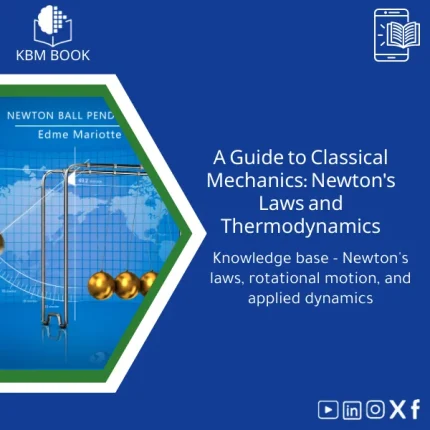
Classical Mechanics Guide: Newton’s Laws and Dynamics
A searchable, hierarchical Knowledge Base Module (KBM) that turns classical mechanics into a practical, ready-to-use reference for fast problem solving, lecture preparation, and applied engineering. Designed for students, researchers, and professionals who need precise access to Newton’s laws, rotational motion, and applied dynamics without the noise of textbooks.
Cosmology Book: Guide to Big Bang and Galaxy Evolution
Electromagnetism Book: A Comprehensive Guide to Fields and Circuits
General Biology Book: A Guide to Cells, Genetics & Taxonomy

Modern Physics Book: Quantum, Relativity, and Tech Applications Guide
A structured, searchable Knowledge Base Module (KBM) that turns modern physics — quantum mechanics, special & general relativity, and contemporary technological applications — into a hierarchical, practical reference for students, researchers, and professionals who need quick, reliable access to advanced concepts and formulas.
Reviews
Clear filtersThere are no reviews yet.