


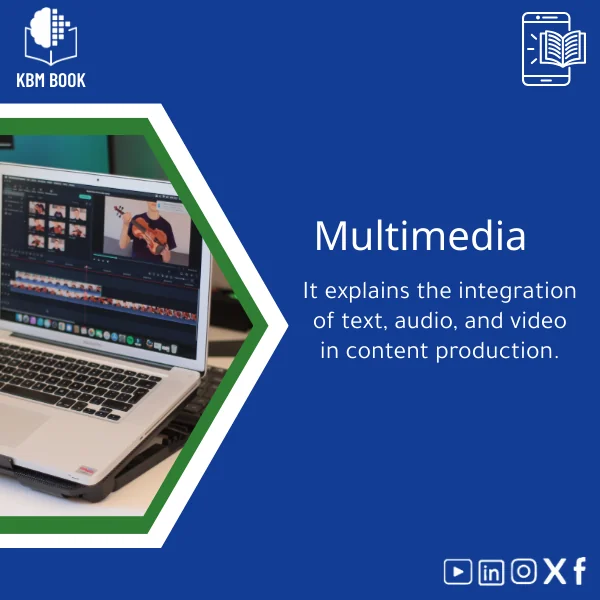
Multimedia Content Production Guide: Integrate Text, Audio, Visuals
Original price was: 179.00 $.139.00 $Current price is: 139.00 $.
A structured, hierarchical multimedia knowledge base module that teaches multimedia basics and professional workflows—so students, researchers, and content professionals can design, produce, and reuse interactive content fast and reliably.
Key benefits & value for the buyer
This multimedia production guide is a Knowledge Base Module (KBM) designed for quick retrieval and practical application. The features below are translated into direct benefits:
Structured knowledge—applies immediately
Each topic is arranged hierarchically: concepts, tools, step-by-step procedures, and plug-and-play templates. You spend less time searching and more time producing.
Searchable formats for different workflows
Delivered as PDF and structured JSON/XML extracts so you can read, print, or import sections into your learning management system or personal knowledge tool.
Proven templates and checklists
Production checklists reduce errors; storyboard and script templates speed up pre-production; metadata schemas improve content discoverability.
Evidence-based guidance
Combines multimedia basics, interaction design principles, and production best practices—bridging academic rigor with practical, production-level detail.
Use cases & real-life scenarios
Students & course projects
Follow structured modules to plan and submit multimedia assignments: proposal → storyboard → shoot/record → edit → publish. Use the grading-ready checklists to ensure completeness.
Researchers
Document reproducible methods for multimedia experiments, annotate datasets with standardized metadata, and export process logs for publications or replication studies.
Professionals & teams
Integrate into team onboarding: new members access a consistent multimedia production pipeline, templates for client briefs, and versioned asset workflows for quality control.
Independent creators
Quickly create interactive content: combine transcripts, chaptered audio, annotated visuals, and lightweight interactive overlays using the included implementation notes.
Who is this product for?
- Media and communication students learning multimedia basics and production workflows.
- Researchers documenting methodology and reproducible multimedia experiments.
- Content producers who need a reliable production playbook and reusable templates.
- Trainers and course designers who want modular lessons to build curricula step-by-step.
How to choose the right module
This guide is a general-purpose multimedia KBM. Choose it when:
- You need an integrated approach (text, audio, visuals) rather than isolated how‑tos.
- You prefer searchable, exportable formats (PDF + structured data) for reuse.
- You want templates that can be adapted to academic, research, or commercial projects.
If your needs are extremely platform-specific (e.g., in-depth software-only manuals), combine this KBM with a software-focused module for best results.
Quick comparison with typical alternatives
How this KBM differs from traditional resources:
- Unlike long textbooks: it’s modular and searchable—use sections independently.
- Unlike single-article guides: it provides full production pipelines and templates, not one-off tips.
- Unlike generic tutorials: it includes metadata and archiving best practices for research reproducibility.
Best practices & tips to get maximum value
- Start with the pre-production checklist in the KBM to estimate time and costs before you begin any project.
- Use the included metadata schema on every project—searchability matters for long-term reuse.
- Adapt the storyboard and script templates to your language and cultural context; the KBM is intentionally neutral and modular.
- Export chapters as PDF for review, and import structured extracts into your lab or team database for automation.
Common mistakes when buying/using multimedia resources—and how to avoid them
Mistake: Buying fragmented tutorials
Solution: Choose a KBM that covers the full pipeline so you won’t miss dependencies between audio, visual, and text elements.
Mistake: Overlooking metadata and archiving
Solution: Use the KBM’s metadata templates to ensure projects remain discoverable and reproducible.
Mistake: Expecting immediate mastery
Solution: Treat the KBM as a curriculum—follow modules progressively and practice with the included examples.
Product specifications
- Format: PDF (print-ready), structured JSON/XML extracts for import, supplementary templates (DOCX, CSV).
- Language: English (professional register), with regional usage notes.
- Length & scope: Full multimedia production pipeline—planning, technical setup, production, post-production, metadata, and publishing workflows.
- Compatibility: Platform-agnostic; templates compatible with common editing and knowledge management tools.
- Delivery: Instant digital download after purchase; single-user license with optional institutional licensing available on request.
- Usage notes: Editable templates; recommended for academic, research, and professional production environments.
FAQ
Does this include step-by-step tutorials for specific software?
The KBM focuses on principles, workflows, and transferable templates rather than exhaustive software manuals. It includes implementation notes and examples for common tools; for tool-specific details, pair this KBM with vendor guides or software-specific modules.
What formats are included? Can I import the content into my LMS or knowledge system?
Yes. The guide includes a print-ready PDF and structured JSON/XML extracts to import sections or metadata into LMS, personal knowledge bases, or research databases. Editable templates are provided in DOCX/CSV for direct use.
Is this suitable for beginners who need multimedia basics?
Yes. The KBM starts with multimedia basics and builds up to advanced topics. Each module is modular so beginners can follow a guided path while advanced users jump to specific sections.
What if I need updates or institutional access?
KBMBook provides update options and institutional licenses—contact support through the store for bulk or site-licensed deployments and update plans.
Ready to integrate multimedia into your workflow?
Get a production-ready, searchable multimedia knowledge base that accelerates learning and reduces production errors. Ideal for coursekits, lab protocols, and content teams.
Related products
Atomic Physics Guide: Understanding Atomic and Electron Properties
Knowledge Base — Atomic/Electron Properties & Electromagnetic Interactions. A structured, searchable KBM for students, researchers, and professionals who need an authoritative atomic physics reference that organizes concepts, formulas, experiments, and practical applications from basics of atomic physics to advanced electron properties.
Classical Mechanics Guide: Newton’s Laws and Dynamics
A searchable, hierarchical Knowledge Base Module (KBM) that turns classical mechanics into a practical, ready-to-use reference for fast problem solving, lecture preparation, and applied engineering. Designed for students, researchers, and professionals who need precise access to Newton’s laws, rotational motion, and applied dynamics without the noise of textbooks.
Comprehensive Genetics Book: DNA, Mendelian Genetics & Engineering
A structured, searchable knowledge base module (KBM) that turns genetics theory and practice into an immediately usable digital reference — from DNA structure to Mendelian genetics and contemporary genetic engineering techniques — optimized for students, researchers, and professionals who need reliable answers fast.
Electromagnetism Book: A Comprehensive Guide to Fields and Circuits
General and Special Relativity Book on Einstein’s Theory
A structured, searchable Knowledge Base Module (KBM) that converts Einstein's General and Special Relativity into a clear, hierarchical reference: formulas, derivations, worked examples, practical applications (GPS, astrophysics), and a compact research bibliography — ready to download and integrate into study, teaching, or research workflows.
General Physics Book: Fundamentals of Force, Motion, Energy
Introductory General Chemistry Book on Matter and Reactions
A structured, searchable Knowledge Base Module (KBM) that converts core general chemistry concepts — matter, elements, reactions, stoichiometry and molarity — into a hierarchical reference you can query, teach from, or integrate into study workflows. Ideal as a concise General Chemistry book alternative for students, researchers, and professionals who need accurate, practical chemistry knowledge fast.
Reviews
Clear filtersThere are no reviews yet.