


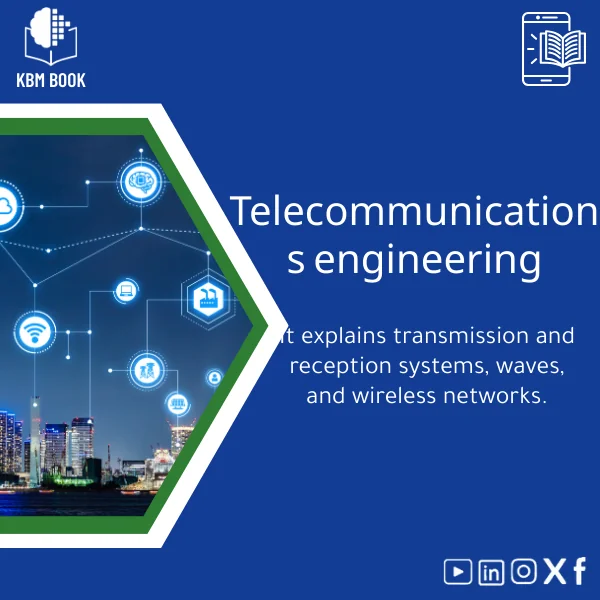
Telecommunications Engineering Course: Waves and Wireless Networks
Original price was: 179.00 $.139.00 $Current price is: 139.00 $.
A ready-to-use, hierarchical knowledge base module (KBM) that converts core telecommunications engineering concepts — transmission, reception, wave propagation, and wireless networks — into a searchable, structured database for fast reference, study, and professional use.
Key benefits & value for the buyer
The Telecommunications Engineering KBM packs professional-grade reference material into a format built for speed and reuse. Instead of reading long chapters in a communications systems textbook, extract exact formulas, block diagrams, and procedural checklists in seconds. Benefits translate into measurable outcomes:
- Save time: Look up link-budget steps, Friis equation use, or OFDM parameters in under a minute.
- Reduce errors: Standardized templates decrease calculation mistakes in labs and project reports.
- Accelerate learning: Hierarchical ordering lets beginners start at electromagnetic wave basics and progress to wireless network planning.
- Integrate smoothly: Exportable sections fit directly into course slides, lab manuals, or technical documentation.
This KBM is designed around the keyword “Telecommunications Engineering” with clear cross-references to “communication systems” concepts so you always find the precise item you need.
Use cases & real-life scenarios
For students
Use the KBM for exam revision: flashcard-ready summaries for modulation types, step-by-step sample problems, and tabulated properties of antennas. Replace scattered lecture notes with a single searchable reference.
For researchers
Quickly gather formulas for propagation models, compare fading channel assumptions (Rayleigh, Rician), and export relevant tables to reproduce simulation parameters in MATLAB or Python scripts.
For professionals & engineers
Use the module during site surveys and network design: pre-filled checklists, link-budget templates, and clear diagrams of cellular topologies reduce time-to-deliver and ensure traceable decisions.
Who is this product for?
This Telecommunications Engineering KBM is built for anyone needing reliable, structured access to communications knowledge:
- Undergraduate and graduate students studying communications systems and wireless networks.
- Researchers preparing simulations, papers, or literature reviews.
- Telecom engineers and network planners needing faster access to formulas, measurement procedures, and deployment checklists.
- Trainers and instructors who want modular content to assemble courseware.
How to choose the right KBM version
KBMBook offers flexible formats and package sizes. Choose based on your primary workflow:
- Student Pack — concise topics, practice problems, and exam-focused summaries.
- Research Pack — extended references, channel models, and simulation parameter libraries.
- Professional Pack — templates for link budgets, site surveys, and deployment checklists ready for immediate use.
If you plan to integrate with code or LMS, select formats that include JSON and CSV exports. If you need printable handouts, include the Markdown/PDF option.
Quick comparison with typical alternatives
How does a KBM compare to a traditional telecommunications engineering book or a long-form communication systems textbook?
- Books: Deep but linear; good for theory, slower for quick lookups. KBMs are non-linear and designed for rapid retrieval.
- Articles & videos: Focused; often single-topic. KBMs aggregate validated content across topics into one connected database.
- Notes & slides: Informal and inconsistent. KBMs provide standardized, referenced entries suitable for professional use.
Best practices & tips to get maximum value
- Start with the hierarchical overview to identify prerequisite topics before diving into advanced sections.
- Import CSV/JSON tables directly into your calculation tools to avoid transcription errors.
- Use the KBM’s template checklists during lab setup and site surveys to maintain consistent data collection.
- Keep a local copy and sync periodically — KBMBook releases curated updates for major revisions and standards changes.
Common mistakes when buying/using similar products and how to avoid them
- Buying broad but shallow resources: Look for depth in key topics (propagation models, modulation, error control) — the KBM includes sub-sections that avoid superficial coverage.
- Ignoring format compatibility: Choose the package with export formats that match your workflow (CSV/JSON/Markdown).
- Assuming static content: Telecommunications standards evolve; pick KBMs with update policies — this product includes periodic updates and change logs.
Product specifications
- Title: Telecommunications Engineering Course: Waves and Wireless Networks
- Format: Downloadable KBM — hierarchical database with sections in JSON, CSV, and Markdown (PDF export included).
- Scope: Transmission & reception, wave propagation, antennas, modulation, multiplexing, channel models, wireless network design.
- Size: Modular packs (Student / Research / Professional) — each contains topic-specific datasets and templates.
- Language: English (technical terminology standardized); Arabic support for summaries available in select packs.
- Compatibility: Import-ready for Excel, Jupyter notebooks, LMS platforms, and documentation tools.
- Delivery: Instant download after purchase; documented change-log for updates.
FAQ
Is this KBM a replacement for a telecommunications engineering book or textbook?
No — it complements textbooks. The KBM is optimized for fast lookup, templates, and practical tools. Use it alongside textbooks for deeper theory and proofs; use the KBM for applied tasks, lab work, and quick reference.
What formats do I receive and can I integrate them into simulations?
You receive modular exports in JSON, CSV, and Markdown, plus printable PDFs. The data tables are ready for import into MATLAB/Python or Excel and include example snippets to show usage in simulations.
How often is the KBM updated?
KBMBook provides periodic curated updates tied to major standards changes and community feedback. Purchases include access to minor updates and a documented change-log; major version upgrades are offered at a discount.
What if I need help applying templates to my project?
Each pack includes practical examples and step-by-step templates. For targeted support, KBMBook offers optional consulting add-ons and guided walkthroughs (details on the site).
Ready to streamline your Telecommunications Engineering work?
Download a structured, reference-ready knowledge base that saves time, reduces errors, and plugs directly into your academic or professional workflow.
Related products
Atomic Physics Guide: Understanding Atomic and Electron Properties
Knowledge Base — Atomic/Electron Properties & Electromagnetic Interactions. A structured, searchable KBM for students, researchers, and professionals who need an authoritative atomic physics reference that organizes concepts, formulas, experiments, and practical applications from basics of atomic physics to advanced electron properties.
Classical Mechanics Guide: Newton’s Laws and Dynamics
A searchable, hierarchical Knowledge Base Module (KBM) that turns classical mechanics into a practical, ready-to-use reference for fast problem solving, lecture preparation, and applied engineering. Designed for students, researchers, and professionals who need precise access to Newton’s laws, rotational motion, and applied dynamics without the noise of textbooks.

Comprehensive Botany Book on Plant Taxonomy and Photosynthesis
A structured, searchable botany book designed as a Knowledge Base Module (KBM) — an end-to-end reference on plant taxonomy, organ structure, and the biochemistry of photosynthesis. Built for students, researchers, and professionals who need reliable, hierarchical knowledge they can search, cite, and apply immediately.
Cosmology Book: Guide to Big Bang and Galaxy Evolution
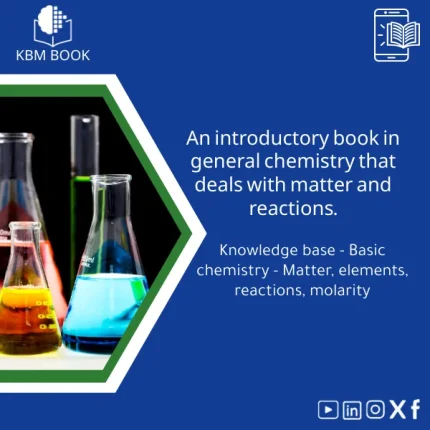
Introductory General Chemistry Book on Matter and Reactions
A structured, searchable Knowledge Base Module (KBM) that converts core general chemistry concepts — matter, elements, reactions, stoichiometry and molarity — into a hierarchical reference you can query, teach from, or integrate into study workflows. Ideal as a concise General Chemistry book alternative for students, researchers, and professionals who need accurate, practical chemistry knowledge fast.
Materials Physics Guide: Understanding Solid-State Properties
Physical Chemistry Guide: Energy, Thermodynamics & Interactions
A structured Knowledge Base Module (KBM) for Physical Chemistry that converts core theory, worked examples, and applied datasets into a searchable, hierarchical database — ideal for students, researchers, and professionals who need fast, reliable access to chemical thermodynamics basics and molecular interaction models.
Reviews
Clear filtersThere are no reviews yet.