


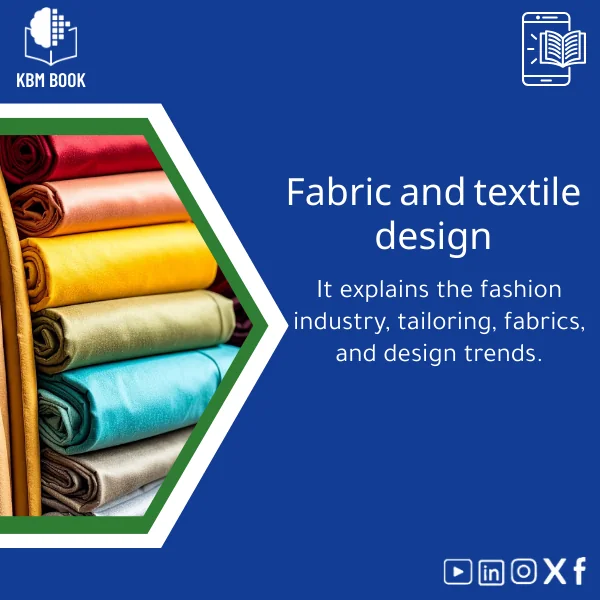
Textile Design Guide for Weaving, Printing, and Embroidery
Original price was: 179.00 $.139.00 $Current price is: 139.00 $.
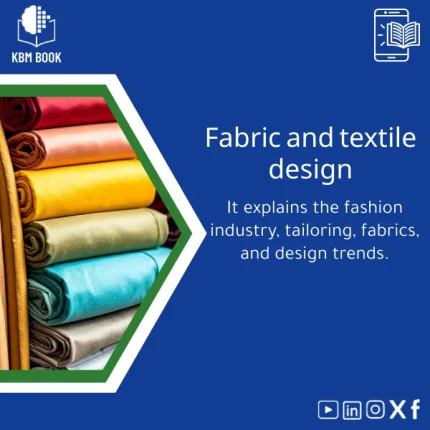
A structured, searchable KBM that converts textile design theory into an interactive reference: step‑by‑step weaving workflows, printing recipes, and embroidery techniques organized from fundamentals to professional practice for fast lookups and applied learning.
Key benefits & value for students, researchers, and professionals
This textile design KBM is built to minimize time-to-answer and maximize practical output. Each feature is a benefit:
From feature to outcome
- Hierarchical modules: Find fiber science, dye chemistry, or draft patterns without reading full textbooks — saves hours during design and research.
- Actionable recipes: Exact yarn counts, tension settings, ink mixes and drying schedules mean fewer trial-and-error cycles in the studio.
- Cross-referenced workflows: Links between printing methods and post-processing reduce production defects and improve reproducibility for research projects.
- Exportable formats: Integrate KBM tables into lab notebooks, LMS, or CAD tools — practical for course creators and product developers.
Use cases & real-life scenarios
Concrete examples of how the textile design KBM is used day-to-day:
In an undergraduate textile lab
Lab instructors extract the “weaving drafts” module to create weekly exercises. Students use the CSV tables to import draft parameters directly into weaving software and complete assignments faster.
For a small textile studio
Designers consult the printing techniques module to test a new pigment with recommended mesh counts and curing temperatures, reducing wasted material and time.
For academic research
Researchers reference fiber property tables and dye interaction matrices for reproducible experiments; exported JSON ensures consistent metadata across datasets.
Who is this product for?
This KBM is specifically tailored for “students, researchers, and professionals who need structured knowledge databases across various fields for quick access to reliable information.” More precisely:
- Fashion and textile students learning foundational textile design concepts and studio practice.
- Academics and researchers needing reproducible procedural data and reference tables.
- Small-scale manufacturers and artisans who require compact, practical guidance on weaving, printing, and embroidery setups.
- Educators and trainers building syllabi or practical workshops with ready-to-use modules.
How to choose the right format & edition
KBMBook delivers the textile design database in multiple editions and formats. Choose based on your workflow:
- Starter edition (PDF + Excel): Best for students and classroom use — printable summaries and editable tables for assignments.
- Professional edition (JSON/CSV + PDF): Best for researchers and studios that integrate data into software or lab records.
- Complete edition (All formats + extended case studies): Best for educators and professionals building courses or production protocols.
If you’re unsure which to pick, select the Professional edition for the best balance of usability and depth.
Quick comparison with typical alternatives
Traditional books and scattered articles provide narrative depth but lack structured, machine‑readable tables. This KBM replaces dispersed notes and lengthy references with:
- Searchable modules vs. long chapters — faster lookup.
- Exportable data vs. static examples — easier replication in labs.
- Cross-referenced workflows vs. isolated tips — fewer integration errors.
Best practices & tips to get maximum value
- Import the CSV module for weaving drafts into your weaving software and validate one draft at low tension before full runs.
- Use the printing recipes as starting points — adjust ink load by 5–10% for local humidity differences.
- Link KBM chapters to your course LMS for quick student access and use the exportable sample projects as assessment templates.
Common mistakes when buying or using textile resources — and how to avoid them
- Mistake: Buying a single-format guide that doesn’t integrate with studio tools. Fix: Choose an edition with JSON/CSV if you plan to import data.
- Mistake: Assuming recipes are universal. Fix: Always run pilot tests and consult the troubleshooting module included in the KBM.
- Mistake: Overlooking licensing for commercial use. Fix: Review the license notes in Product specifications and select a professional license if needed.
Product specifications
- Title: Textile Design Guide for Weaving, Printing, and Embroidery
- Formats included: JSON (hierarchical), CSV, Excel (.xlsx), Printable PDF
- Modules: 12 core modules + 24 submodules (fiber science, drafts, printing recipes, embroidery stitches, troubleshooting)
- Depth: Beginner → Professional (stepwise progression with sample projects)
- File size: ~25–120 MB depending on edition
- License: Personal & educational use; professional/commercial license available at checkout
- Delivery: Instant download after purchase
- Usage notes: Structured for import into LMS and textile CAD/weaving software
Frequently asked questions
What formats are included and which is best for design software?
The professional edition includes JSON and CSV tables designed for import into textile CAD and data tools. Excel is provided for editing and classroom distribution; PDF is for quick offline reading.
Can I use the KBM for commercial product development?
Yes — commercial use requires a professional/commercial license. Licensing options are shown at checkout; contact support for bulk or team licenses.
How often is the KBM updated?
KBMs are versioned. Updates for technical corrections and new case studies are released periodically; update policy and changelog are included in your download package.
Is there a preview or sample before purchase?
A consolidated sample PDF (10 pages) is available on the product page so you can inspect the structure, module headings, and a sample recipe before buying.
What if the data doesn’t match my local workshop conditions?
Recipes include tolerance ranges and troubleshooting notes. We recommend pilot tests and using the environmental adjustment tips in the KBM for local calibration.
Ready to make textile design work faster and more reliable?
Download a structured, professional textile design KBM that matches studio and classroom workflows. Instant access, multi-format exports, and practical recipes to reduce rework.
Not sure which edition fits your workflow? Choose the Professional edition for software integration, or contact support for recommendations.
Related products
Analytical Chemistry Book: Qualitative and Quantitative Methods Guide
Biological Anthropology Study Guide on Human Evolution

Cell Biology Guide: Structure, Division, and Transport Insights

Classical Mechanics Guide: Newton’s Laws and Dynamics
A searchable, hierarchical Knowledge Base Module (KBM) that turns classical mechanics into a practical, ready-to-use reference for fast problem solving, lecture preparation, and applied engineering. Designed for students, researchers, and professionals who need precise access to Newton’s laws, rotational motion, and applied dynamics without the noise of textbooks.
Comprehensive Genetics Book: DNA, Mendelian Genetics & Engineering
A structured, searchable knowledge base module (KBM) that turns genetics theory and practice into an immediately usable digital reference — from DNA structure to Mendelian genetics and contemporary genetic engineering techniques — optimized for students, researchers, and professionals who need reliable answers fast.

General and Special Relativity Book on Einstein’s Theory
A structured, searchable Knowledge Base Module (KBM) that converts Einstein's General and Special Relativity into a clear, hierarchical reference: formulas, derivations, worked examples, practical applications (GPS, astrophysics), and a compact research bibliography — ready to download and integrate into study, teaching, or research workflows.

Inorganic Chemistry Guide: Bonding and Crystal Solids
A structured, searchable Knowledge Base Module (KBM) that converts inorganic chemistry fundamentals and advanced topics—bonding models, lattice structures, defects, and solid-state properties—into a practical digital reference for students, researchers, and professionals who need fast, reliable answers without wading through textbooks.

Physical Chemistry Guide: Energy, Thermodynamics & Interactions
A structured Knowledge Base Module (KBM) for Physical Chemistry that converts core theory, worked examples, and applied datasets into a searchable, hierarchical database — ideal for students, researchers, and professionals who need fast, reliable access to chemical thermodynamics basics and molecular interaction models.
Reviews
Clear filtersThere are no reviews yet.