


Visual Journalism Guide for Effective Storytelling with Media
Original price was: 179.00 $.139.00 $Current price is: 139.00 $.
A structured, searchable knowledge base for visual journalism: learn how to plan, produce and publish powerful stories with images and video — quickly, reliably, and without wading through scattered tutorials.
Key benefits & value for the buyer
The Visual Journalism Guide is not a conventional book — it is a Knowledge Base Module (KBM) designed to convert fragmented learning into a compact, practical toolkit. Benefits you can expect immediately:
Save time at every stage
Use the searchable KBM to skip repetitive search queries. Need a lighting setup for an interview under 20 minutes? Open the module, follow the checklist, deploy.
Reliable, reproducible workflows
Every technique includes step-by-step procedures, required equipment lists, and expected outcomes so editors and reporters can reproduce results consistently.
Teaching-ready materials
Instructors get slide-ready outlines, assignment briefs, rubrics and sample datasets — all structured hierarchically for progressive teaching.
Use cases & real-life scenarios
Classroom: journalism students resource
A professor uses the KBM to create a semester plan: week-by-week modules cover photojournalism basics, video storytelling, ethical considerations, and a final multimedia project. Students submit work using the included evaluation rubric.
Newsroom: fast-reference for reporters
Field reporters consult the guide before a breaking assignment: quick refresh on legal consent for street interviews, mobile-camera settings for low light, and the newsroom’s release checklist.
Independent creators & researchers
Freelancers and media researchers use reproducible case studies to test narrative techniques, compare framing strategies, and build a personal library of templates and shot lists.
Who is this product for?
The guide is built for anyone who needs fast, accurate access to visual journalism knowledge:
- Journalism students and university instructors looking for a structured course resource.
- Newsroom professionals—photo editors, multimedia reporters, producers—who require repeatable workflows.
- Researchers studying media effects or storytelling who need standardized definitions and case protocols.
- Independent content creators who want newsroom-grade standards for visual storytelling in news.
How to choose the right version
The KBM is available in multiple formats and packs to match different needs:
- Starter Pack: Core modules, basics of visual storytelling, essential templates — best for students.
- Professional Pack: Full workflows, advanced video editing guides, newsroom checklists — for working professionals.
- Instructor Pack: All content plus teaching materials, slides and assignment banks.
Choose by intended use: if you want classroom-ready materials, pick the Instructor Pack; if you need a portable desk reference, Starter works. All packs are downloadable and searchable.
Quick comparison with typical alternatives
How this KBM differs from other learning resources:
- Books: Comprehensive but static. The KBM is modular, searchable and includes templates not found in plain text.
- Online tutorials: Often fragmented. The KBM consolidates verified practices and cites sources for credibility.
- Workshops/courses: Interactive but time-limited. The KBM provides persistent, reusable materials you can revisit anytime.
Best practices & tips to get maximum value
- Integrate KBM sections into your daily workflow: assign a 15-minute review before fieldwork to reduce errors and retakes.
- Use templates as baseline, then adapt: publish a newsroom style guide built from the KBM to ensure consistency across teams.
- Teach by doing: pair modules with short practical assignments (e.g., one-day mobile-video task) to reinforce learning.
- Keep the KBM updated: use the update log included with your purchase to apply new practices and case studies.
Common mistakes when buying/using similar products and how to avoid them
- Buying a single-format resource: Avoid PDFs only — choose a searchable KBM with editable templates.
- Neglecting practical templates: Templates bridge theory to practice; if your resource lacks them, you’ll lose time translating advice into tasks.
- Overloading content: Picking overly broad resources leads to shallow coverage. The KBM focuses on depth per module so you progress step-by-step.
Product specifications
- Format: Downloadable KBM (structured folders + searchable index) and printable PDFs.
- File types: .zip package with .pdf, .docx templates, .xlsx checklists, and a searchable HTML index.
- Size: Approximately 120+ modular entries, 200+ templates and checklists, 15 case studies.
- Language: English (primary content), with Arabic interface notes for bilingual classrooms.
- Usage notes: Single-user license for students; institutional licensing available for classrooms and newsrooms.
- Updates: Free minor updates for 12 months; paid major updates option thereafter.
Frequently asked questions
Is this a book or a database? Which file will I receive?
This is a Knowledge Base Module (KBM): you receive a packaged database of structured modules (searchable HTML index), printable PDFs, editable templates (.docx/.xlsx) and case-study media lists. It’s built to function as both reference and practical toolkit.
Can I use the templates in my classroom or newsroom?
Yes. Templates are provided with a single-user license by default. For classroom or newsroom distribution, choose the institutional license available at checkout or contact support for volume options.
How long will I have access to updates?
You receive free minor updates for 12 months after purchase. Major edition releases are available as paid upgrades; details are included in your purchase confirmation.
Is the content suitable for beginners?
Yes. Modules start with fundamentals (camera basics, composition, ethics) and progress to advanced multimedia workflows, making it suitable for both beginners and experienced professionals.
Ready to master visual journalism?
Convert scattered advice into a reliable, repeatable system for visual storytelling. Whether you’re preparing a syllabus, standardizing newsroom practice, or upgrading your portfolio, this KBM gives you the structures and templates to act with confidence.
Need institutional licensing or a preview of module lists? Contact KBMBook support for an extended sample and volume pricing.
Related products

Analytical Chemistry Book: Qualitative and Quantitative Methods Guide
Astronomy Observational Techniques Guide for Celestial Motion
Atomic Physics Guide: Understanding Atomic and Electron Properties
Knowledge Base — Atomic/Electron Properties & Electromagnetic Interactions. A structured, searchable KBM for students, researchers, and professionals who need an authoritative atomic physics reference that organizes concepts, formulas, experiments, and practical applications from basics of atomic physics to advanced electron properties.
Biological Anthropology Study Guide on Human Evolution
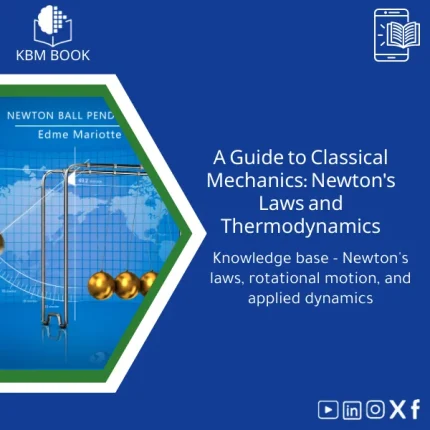
Classical Mechanics Guide: Newton’s Laws and Dynamics
A searchable, hierarchical Knowledge Base Module (KBM) that turns classical mechanics into a practical, ready-to-use reference for fast problem solving, lecture preparation, and applied engineering. Designed for students, researchers, and professionals who need precise access to Newton’s laws, rotational motion, and applied dynamics without the noise of textbooks.
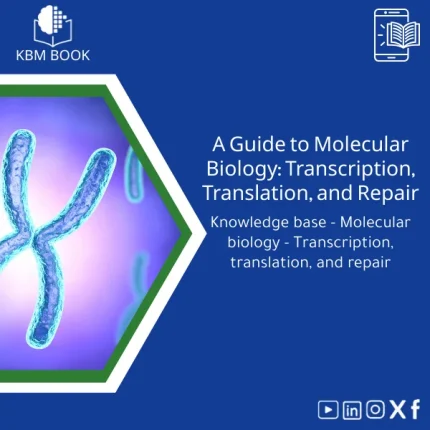
Molecular Biology Guide: Transcription, Translation & Repair
Thermal Physics Guide: Understanding Heat, Energy, and Entropy
A downloadable, hierarchically structured Knowledge Base Module (KBM) that converts university-level thermodynamics into a searchable, practical digital database. Ideal for students, researchers, and professionals who need fast, reliable access to fundamentals and advanced topics in thermal physics.
Reviews
Clear filtersThere are no reviews yet.